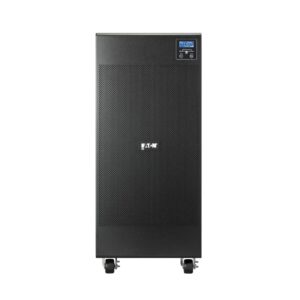
An Uninterruptible Power Supply (UPS) is a guardian for your electronics. When it malfunctions, it can leave your devices vulnerable. Many common UPS issues have simple solutions you can safely try before considering a replacement. It is important for you to understand these problems in order to maintain a reliable UPS power supply for home.
The UPS Fails to Power On:
A completely unresponsive UPS is a frequent concern. First, verify the unit is firmly plugged into a working wall outlet. Check the main circuit breaker or GFCI outlet for a trip. Inspect the UPS’s internal fuse, accessible on the back of some models, and replace it if blown, ensuring you use the correct type. If it remains dead, the battery may be deeply discharged or the internal electronics have failed.
Frequent or Continuous Beeping:
A beeping UPS is sending an alert. Rapid, constant beeping during normal power usually signals that the unit is running on battery. This often points to a loose wall plug or a tripped circuit. If the power is confirmed on, the UPS may be overloaded.
Disconnect some devices to see if the beeping stops. Intermittent beeping, especially when the mains power is stable, typically indicates a weak or failing battery that needs replacement.
Short Battery Runtime:
If your UPS switches to battery but provides only minutes of backup, the battery itself is the likely culprit. UPS batteries degrade over two to three years. You can often order a compatible replacement battery pack or cells online.
Carefully follow the unit’s manual to swap the old battery with the new one, observing proper polarity. After replacement, allow a full 24-hour charge before testing the runtime.
The UPS Makes a Loud Buzzing:
Some humming is normal, but a loud, persistent buzz requires attention. This sound frequently originates from overloaded components or a failing fan. Reduce the connected load immediately. If the buzz continues, internal parts like transformers or capacitors may be straining.
For fan-related buzz, consult your manual to see if the fan is user-serviceable. Electrical buzzing from internal components suggests professional repair or unit retirement.
Unit Overheats or Smells:
Excessive heat or a burning odor demands immediate action. Overheating often stems from blocked vents, an overworked unit, or a failed internal fan. Unplug the UPS, move it to a cool, open area, and clear any dust from its vents with compressed air. A persistent acrid smell indicates serious internal damage, such as burnt circuit boards or capacitors.